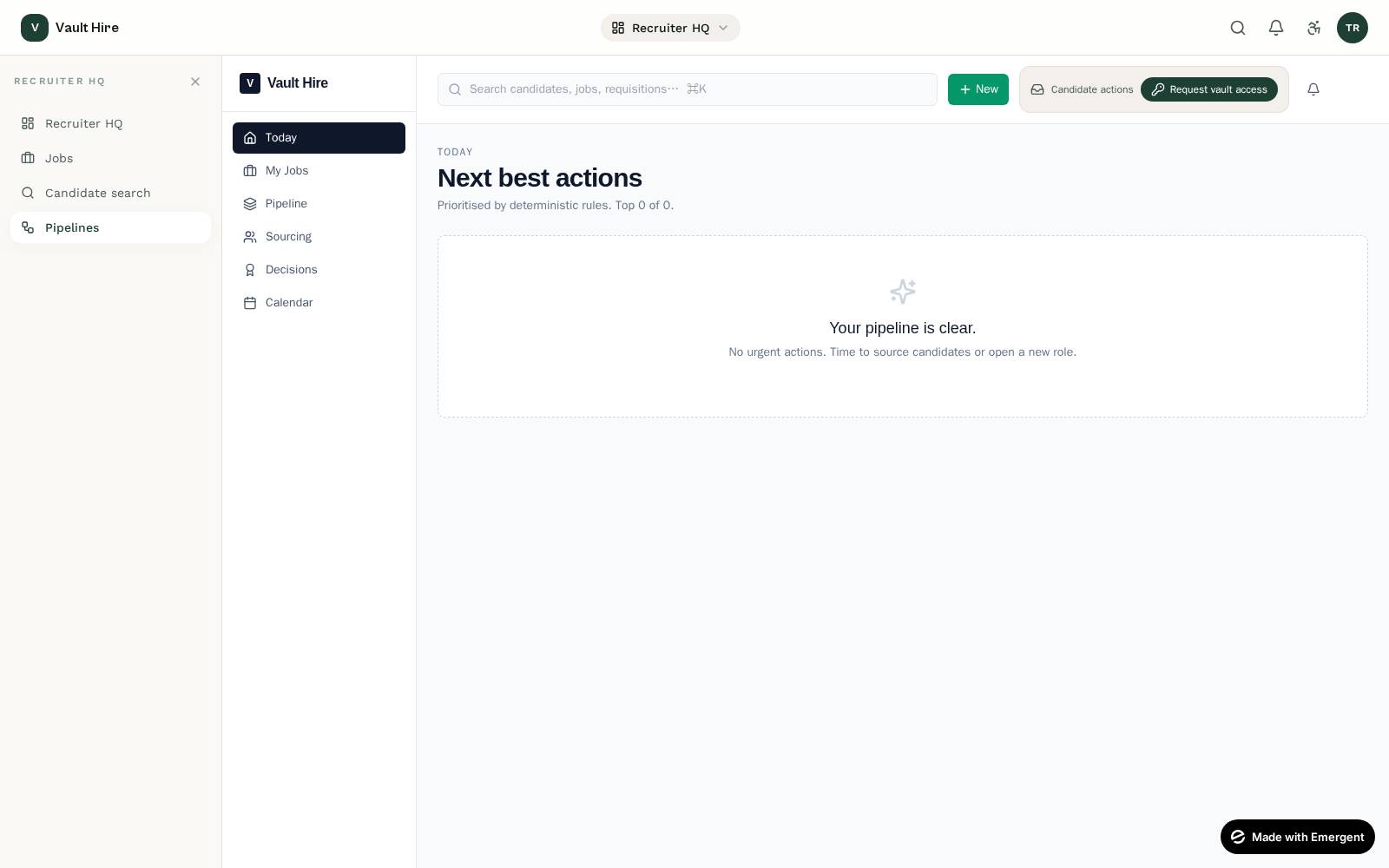
Two entries: post a job or pull from CRM
The recruiter starts in their Vault Hub. They either post a job (which appears on the Vault Hire public board) or pull a record from their existing CRM — Vault Hire is built to live alongside Bullhorn / SuccessFactors / Workday, not replace them.
Candidates find the role on the public board
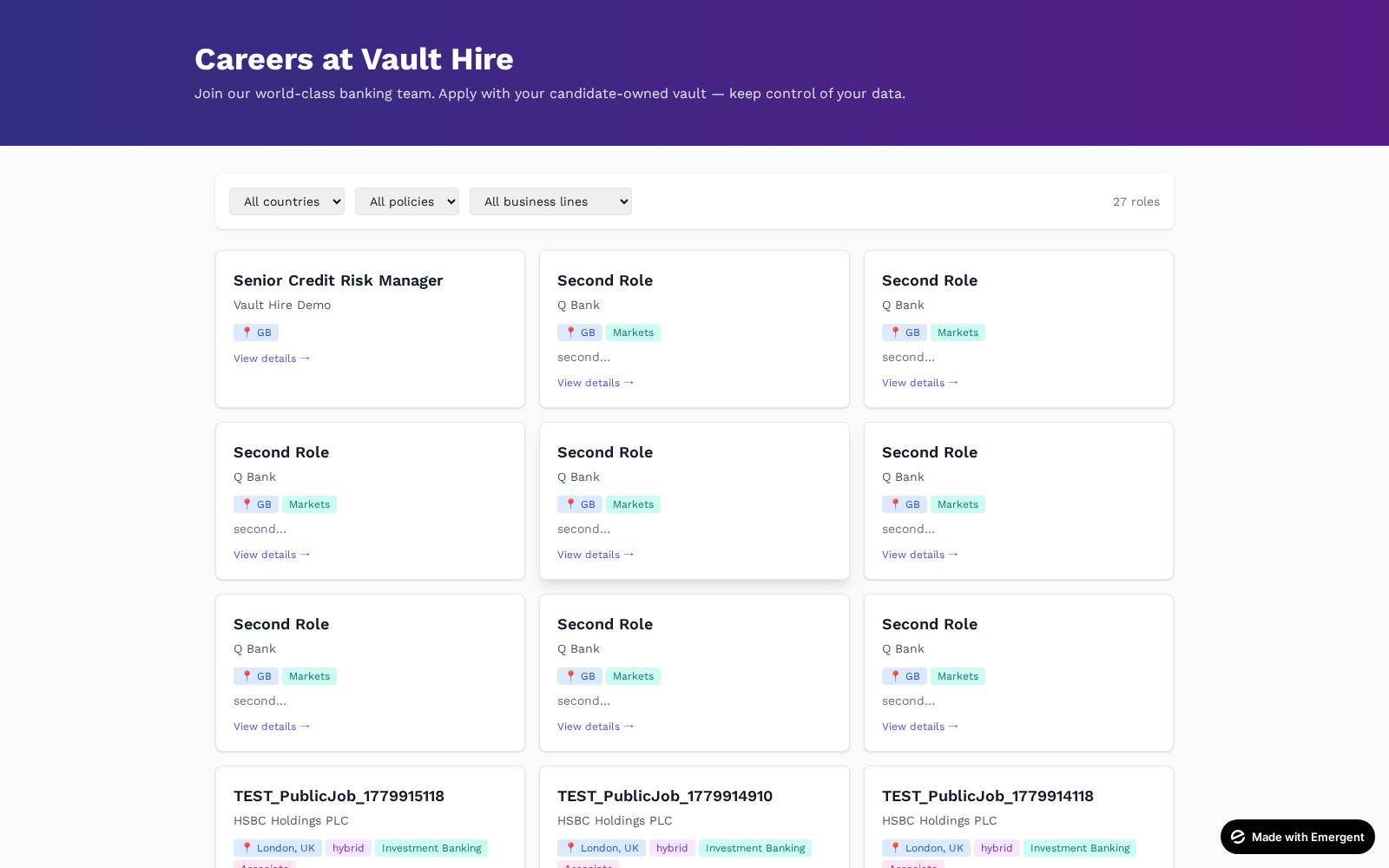
The job appears on the Vault Hire public board. Candidates apply directly with a one-click vault share — no CV upload step.
What this step does
Every applicant lands in the recruiter's pipeline with a vault-readiness score, not a guessed-at PDF. Underqualified applicants self-filter (their pack is incomplete); strong candidates surface immediately.
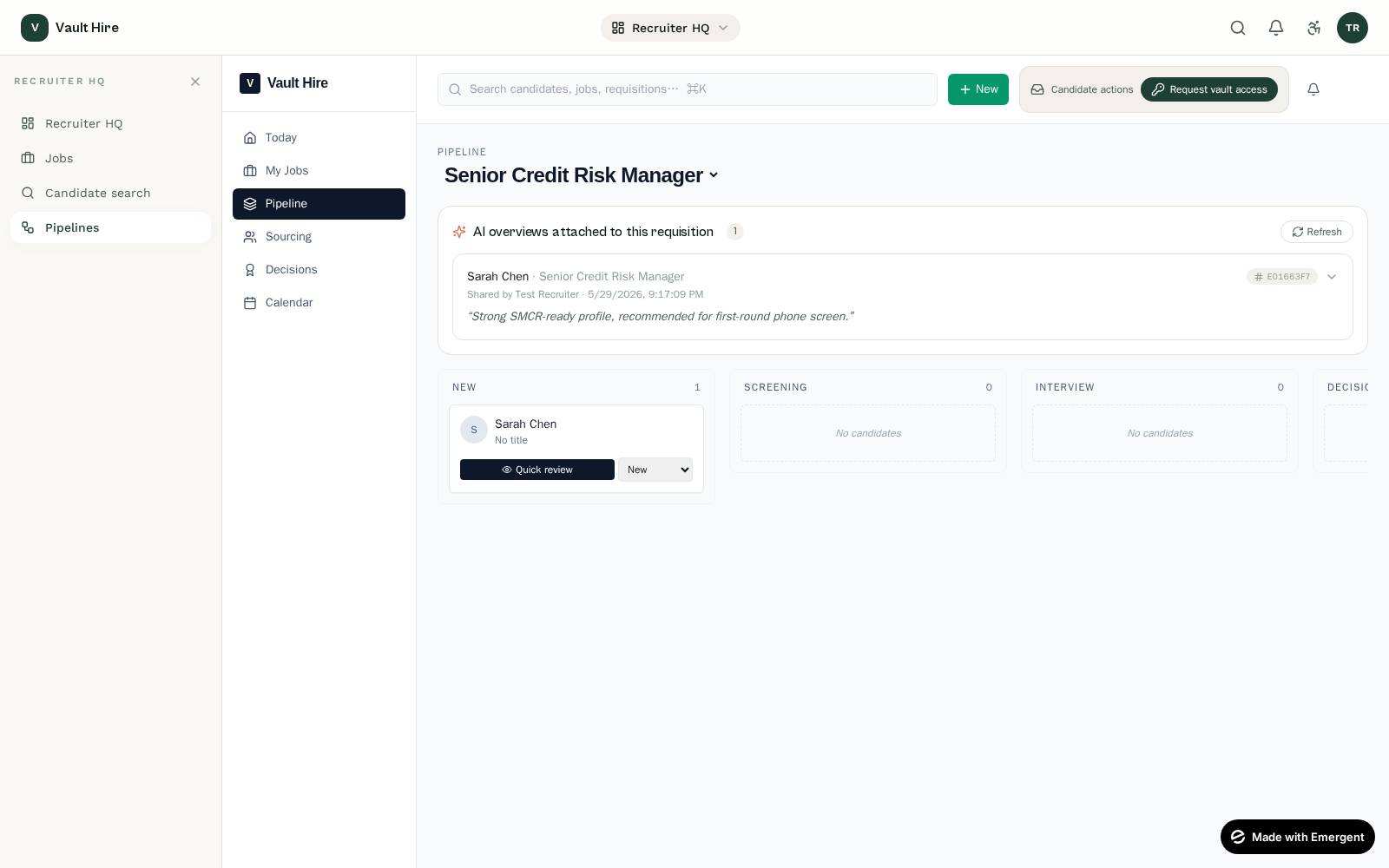
Pipeline: candidate appears in "New"
What this step does
The pipeline is a kanban with seven canonical stages — New, Screening, Interview, Decision, Offer, Hired, Rejected. Drag-and-drop with audit-logged decisions; no anonymous stage moves.
Request the vault
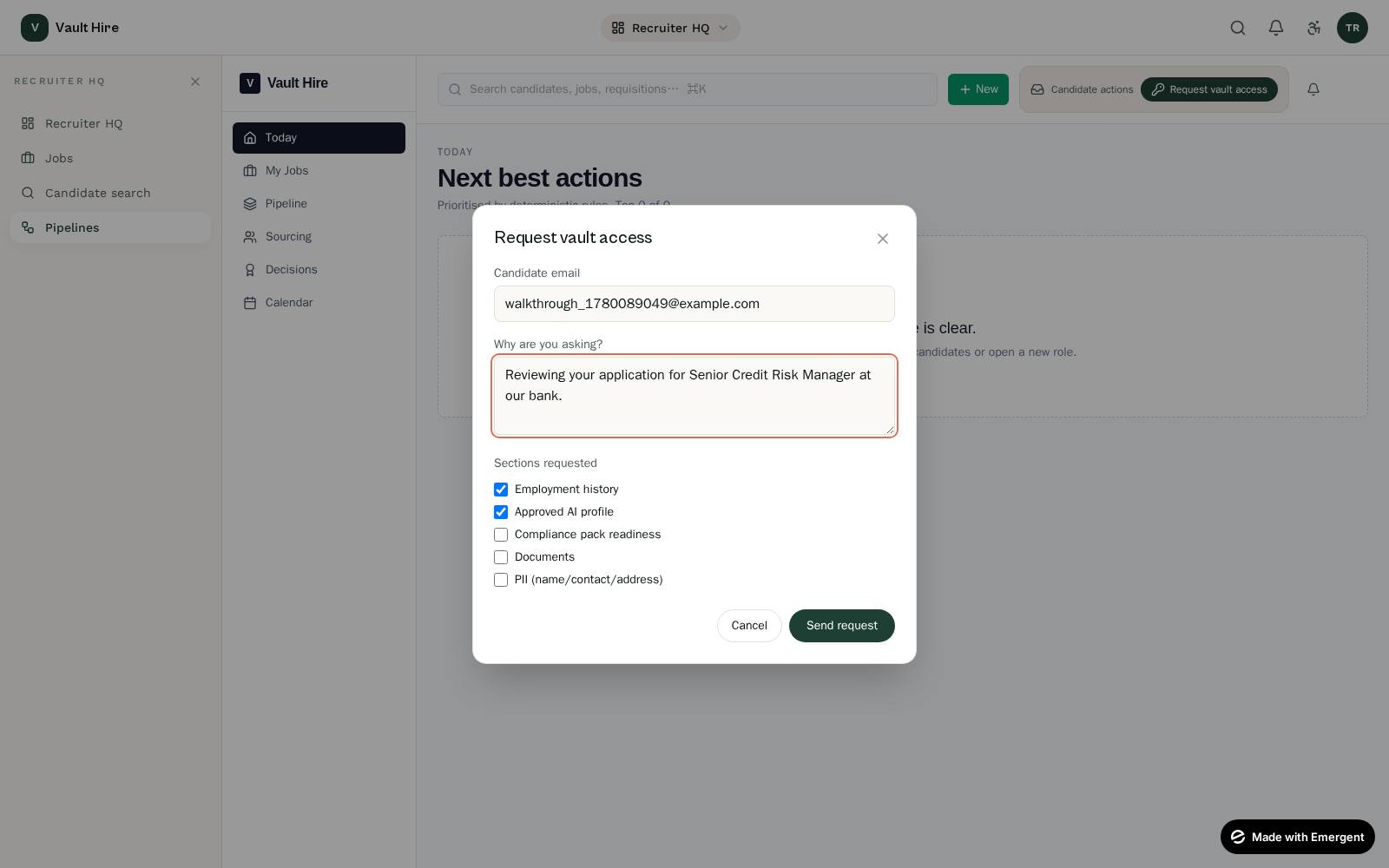
Before any panel time is spent, the recruiter asks Sarah for vault access — section-scoped, time-limited.
At what point does the recruiter see more detail?
Only after Sarah approves, and only the sections she ticked. Until then, the recruiter knows her email and her application stage — nothing else. This is the core of the platform's data-minimisation contract.
Receive the share
Sarah approves. The recruiter is notified in-app with a 24-hour share URL.
What this step does
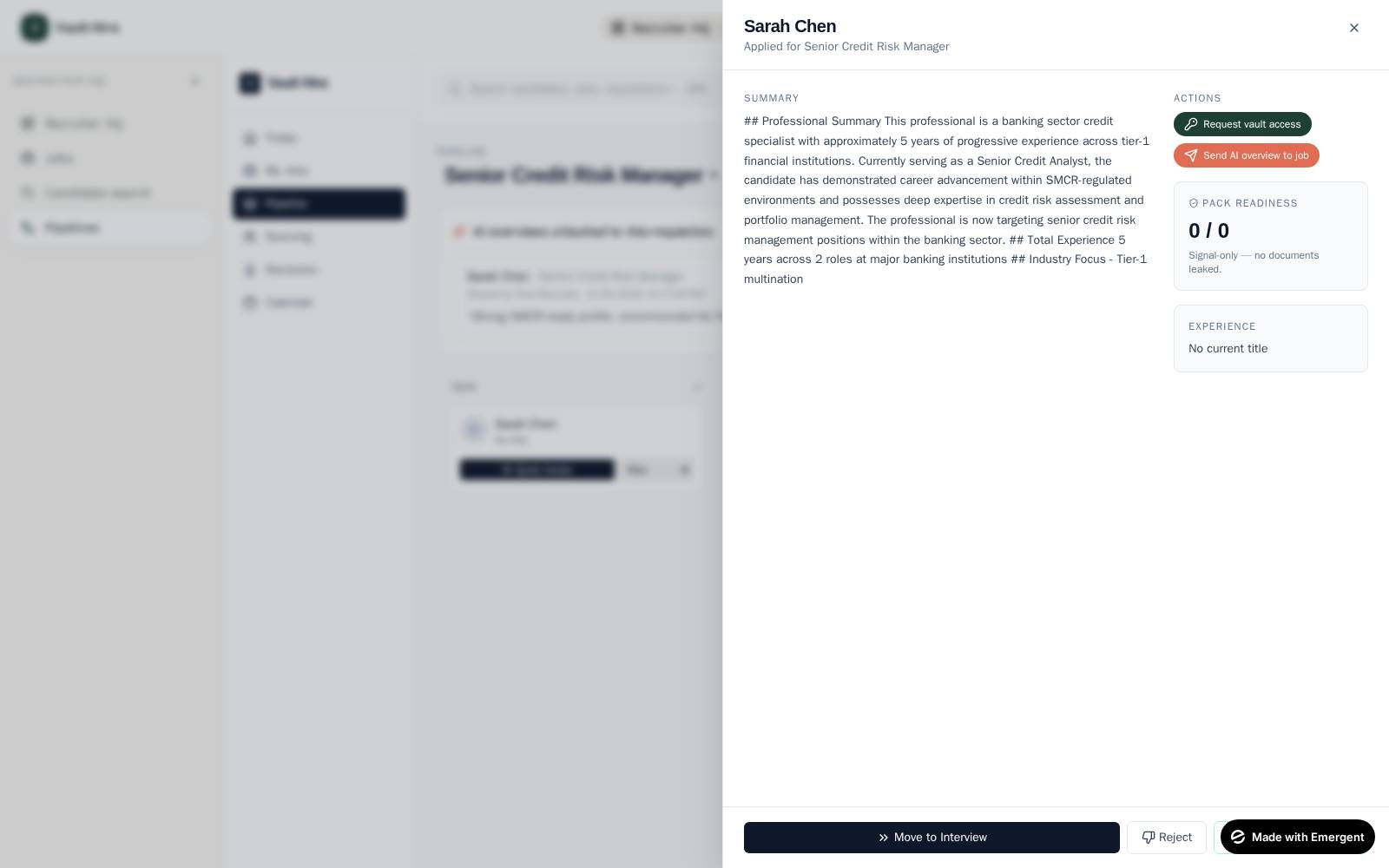
The QuickReview sheet auto-fills with whatever sections Sarah granted. Documents and PII remain hidden unless explicitly toggled on in step 04.
Push the AI overview to the job
The recruiter clicks Send AI overview to job from the candidate's QuickReview sheet. Sarah's approved AI profile is attached to the requisition. Every collaborator (hiring manager, panel) sees it instantly.
What this step does
The push is logged with a content hash. If the AI profile later changes (e.g. Sarah updates her vault), the diff is visible — no silent rewrites.
Hiring manager review
The hiring manager opens the requisition. Without ever logging into Sarah's vault, they read the AI overview and fill in structured scorecards.
Defensible decisions
Scorecards capture competencies, evidence, and reasoning per panel member. Aggregate is computed automatically. Material decisions trigger a decision-log entry; reversal cost is captured.
Offer & e-sign
Recruiter generates the offer from a templated pack pre-filled with vault data (start date, jurisdiction, FCA SMCR role band). Sarah e-signs in-app.
Where the platform stays in the loop
Offer letter, contract, signed regulatory references, RTW, all background checks — every file is captured in the pack at e-sign. The recruiter never emails attachments.
Final compliance pack delivered
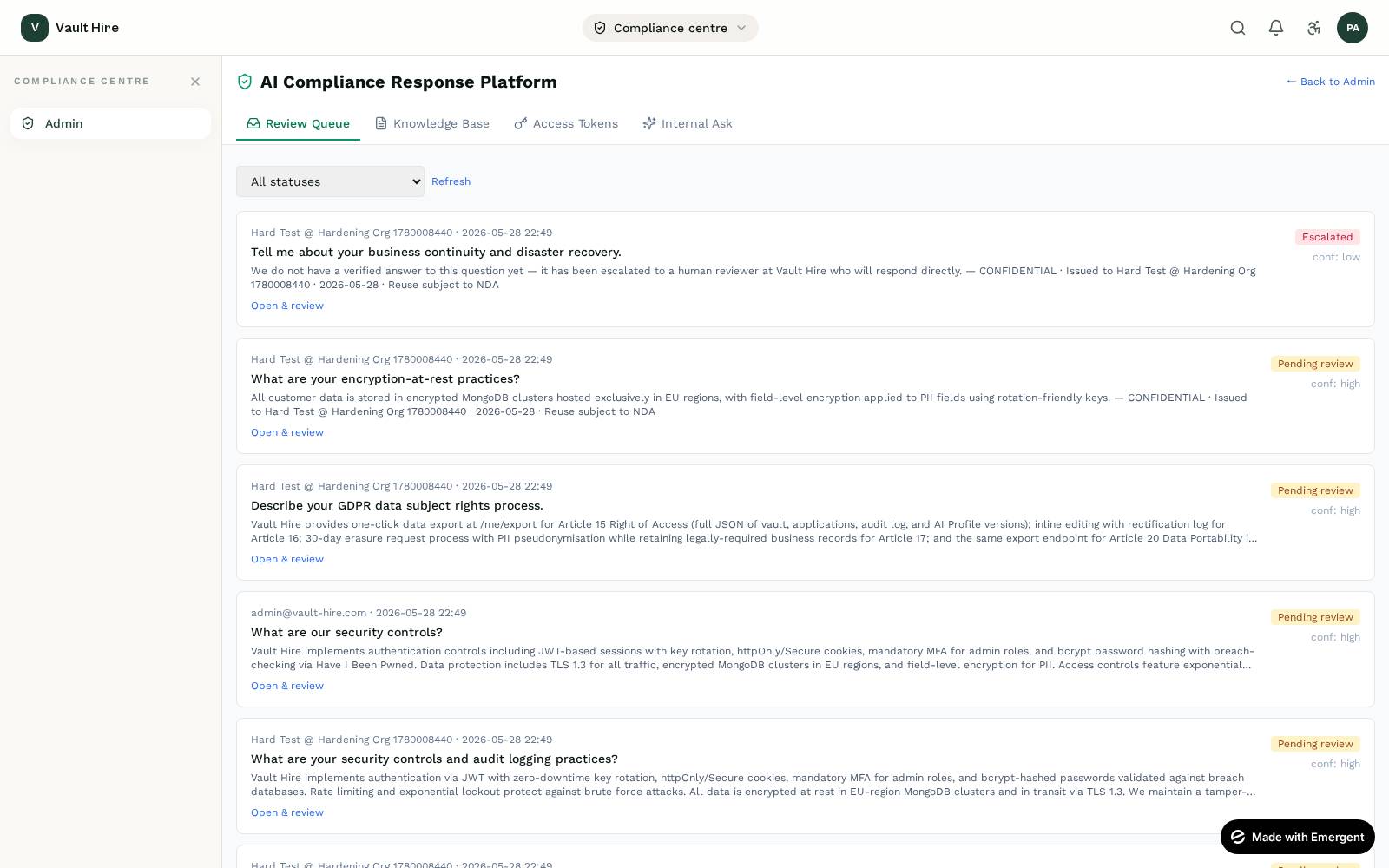
On offer accepted, the pack is frozen, hash-chained, and delivered to the bank's compliance officer in one bundle.
What this step does
Where the recruiter's job ends, the compliance officer's begins — but the artefact is already perfect. No emails. No PDFs flying around. One pack, one hash, one accountable owner.
Regulator-ready archive
What's in the final pack
- Hash-chained timeline of every decision in the hire.
- Article 12 inference register — every AI call, every model used, every prompt + redacted-input + output.
- Article 50 disclosure — what Sarah was told the AI did.
- Signed regulatory references + DBS + RTW (with expiry tracking).
- Panel scorecards + reasoning + reversal cost.
This is the bundle the FCA asks for in any post-hire review. Vault Hire produces it at zero marginal effort.
What this step does
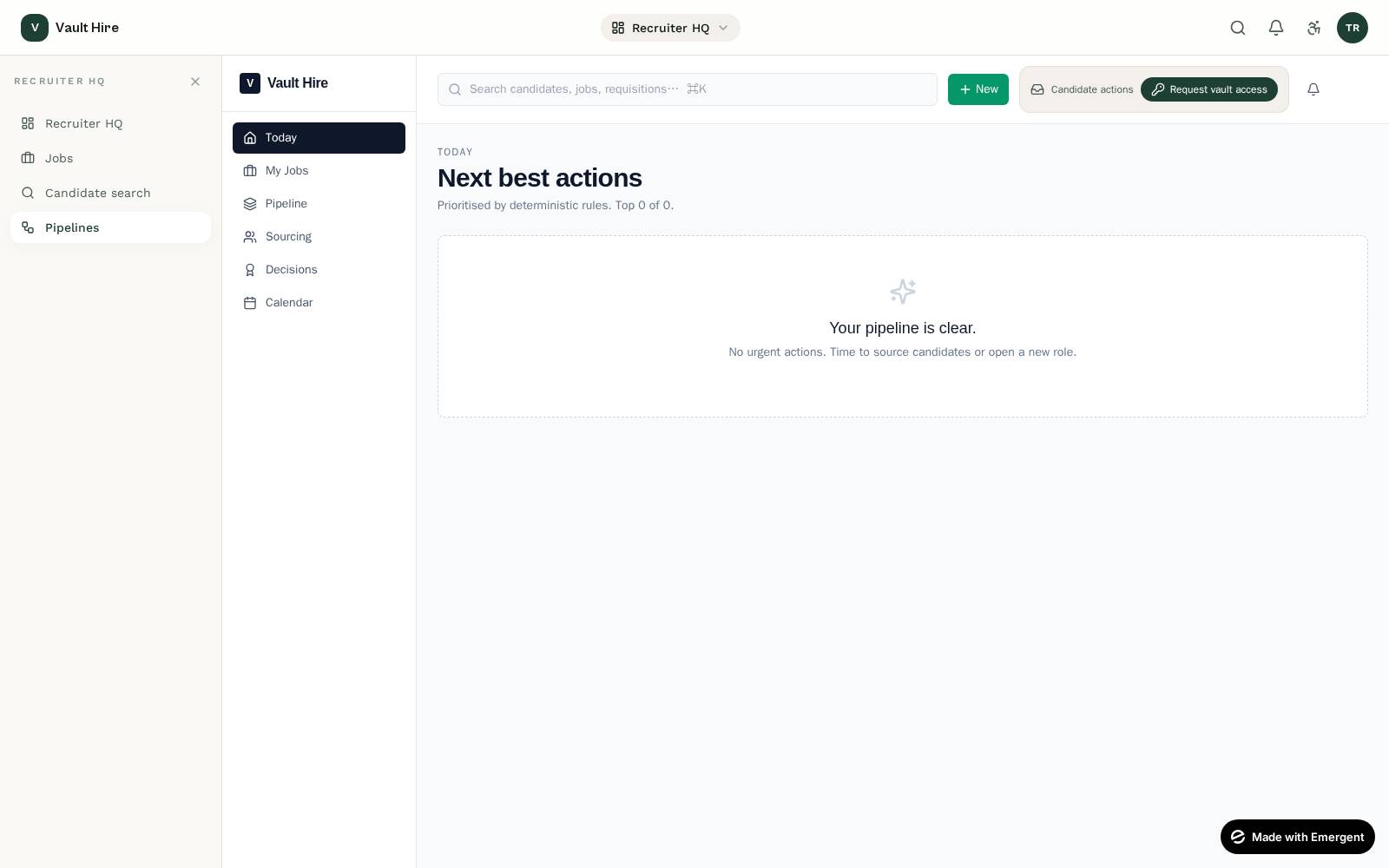
The Vault Hub is built for the recruiter's existing workflow. Pull from CRM, post a job, request a vault — all three live in the same top bar. No context-switching.